
Train an AI chatbot on your business data

Create a website chatbot that answers visitor questions, captures qualified leads, and creates support tickets based on the conversation.

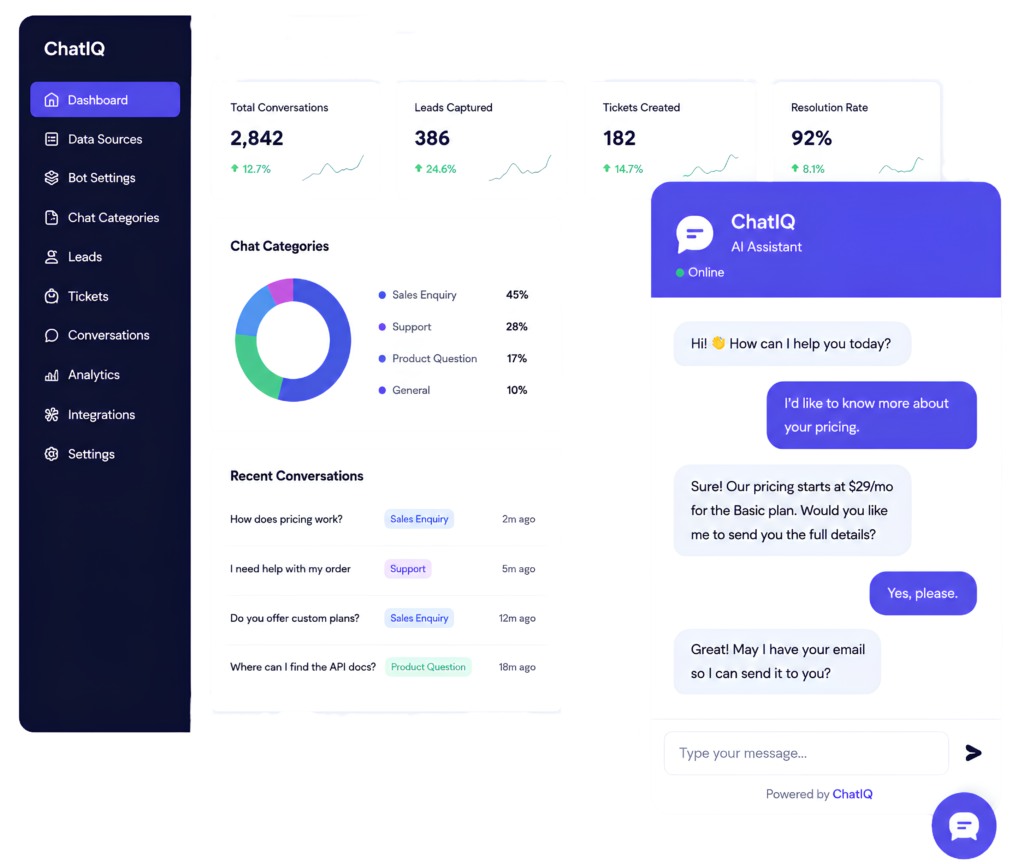
ChatIQ learns from the information you provide, follows your instructions, and helps every website conversation move toward the right next step.

How It Works

Launch your AI chatbot in four simple steps

1. Add your business data

Give ChatIQ the information it needs to understand your business. Add website content, documents, help articles, product information, frequently asked questions, or custom text.

2. Customize your chatbot

Choose how your chatbot looks, speaks, and behaves. Set its welcome message, tone, instructions, name, and conversation style to match your brand.

3. Choose what happens next

Define what ChatIQ should do based on the type of conversation. It can collect a lead, create a support ticket, answer a question, or direct the visitor toward the right next step.

4. Add ChatIQ to your website

Install the chatbot on your website and start assisting visitors. No complex setup. No need to build your own AI system.

Core Features

Everything you need to turn website conversations into action

Train with your own data

Create a chatbot that answers questions using the information you provide. Keep your chatbot focused on your business instead of giving generic responses.

Train with your own data

Create a chatbot that answers questions using the information you provide. Keep your chatbot focused on your business instead of giving generic responses.

Capture qualified leads

Collect names, email addresses, phone numbers, or other details when a visitor shows buying intent. Help your sales team follow up with people.

Capture qualified leads

Collect names, email addresses, phone numbers, or other details when a visitor shows buying intent. Help your sales team follow up with people.

Create support tickets

Turn support conversations into tickets when a visitor needs additional help. Give your support team the conversation details they need before following up.

Create support tickets

Turn support conversations into tickets when a visitor needs additional help. Give your support team the conversation details they need before following up.

Customize the experience

Control your chatbot’s appearance, welcome message, instructions, response style, lead fields, and ticket rules. Make ChatIQ feel like part of your website and brand.

Customize the experience

Control your chatbot’s appearance, welcome message, instructions, response style, lead fields, and ticket rules. Make ChatIQ feel like part of your website and brand.

Review visitor conversations

See what people are asking, where they need help, and which conversations may require attention from your team. Use real visitor questions to improve your website, support content, and customer experience.

Review visitor conversations

See what people are asking, where they need help, and which conversations may require attention from your team. Use real visitor questions to improve your website, support content, and customer experience.

Use ChatIQ For Every Conversation

One chatbot for sales, support, and customer questions

Lead Generation

Engage interested visitors while they are still on your website. Answer their questions, understand what they need, and collect their details for your sales team.

Customer Support

Provide instant answers to common support questions. When the issue needs human assistance, ChatIQ can collect the details and create a support ticket.

Product Discovery

Help visitors understand your products, services, features, or plans. Guide them toward the option that best matches their needs.

Knowledge Base Assistant

Turn your business information into a conversational experience. Help visitors find answers without searching through multiple pages or documents.

Agency Chatbots

Create customizable AI chatbots for client websites. Train each chatbot using the client’s information and configure it for their specific goals.


FAQ

Frequently Asked Questions

ChatIQ is an AI-based chatbot for websites. You can train it using your business data and customize it to answer questions, capture leads, or create support tickets.

You can add business information such as website content, documents, product details, help articles, frequently asked questions, or custom text. ChatIQ uses this information to respond to visitor questions.

Yes. You can configure ChatIQ to collect visitor details during sales or enquiry-related conversations. The information collected can include names, email addresses, phone numbers, and other relevant fields.

No. ChatIQ is designed to help businesses create and add an AI chatbot without building their own system from scratch.

Yes. You can update the data used by your chatbot as your products, services, policies, or business information change.

Yes. When a visitor has a support issue, ChatIQ can collect the relevant details and create a ticket for your team to review.

ChatIQ can organize conversations based on the visitor’s intent or the category you configure, such as sales, support, product questions, or general enquiries.

Yes. You can customize the chatbot’s appearance, welcome message, tone, instructions, lead fields, ticket rules, and other settings.

You can configure the next step based on your workflow. For example, ChatIQ can collect the visitor’s details, create a ticket, or direct the conversation to your team.

ChatIQ offers a free plan so you can create and test your chatbot. Paid plans are available for businesses that need higher usage limits or additional features.